
As an Amazon Associate I earn from qualifying purchases.
Brother’s PE-series embroidery-only machines have been the default recommendation for home embroiderers for years. Same 5×7 hoop, same friendly software-free workflow, same enormous owner community. But the lineup has a generational split that confuses buyers: the newer PE900 with wireless connectivity and the older PE800, which keeps showing up as new-old-stock, renewed units, and used deals.
On paper the differences look modest. In practice they determine whether you are buying a machine with a future or a machine from the past. This comparison lays out exactly what the PE900 adds, what the PE800 still does well, and which one deserves your money in 2026.
TL;DR: Buy the Brother PE900 (~$900-1,100) if you are buying new: wireless LAN, the Artspira app, 193 designs, and a larger touchscreen make it the better machine and the better long-term bet. The PE800 (~$700-1,000 as new-old-stock or renewed) only makes sense if you find one significantly cheaper and do not care about wireless design transfer.
At a Glance
| Brother PE900 | Brother PE800 | |
|---|---|---|
| Best for | Buyers who want the current model | Bargain hunters who find one cheap |
| Our score | 9.1/10, wireless plus a better screen seal it | 8.0/10, still capable, but last generation |
| Embroidery field | 5″ x 7″ | 5″ x 7″ |
| Built-in designs / fonts | 193 designs, 13 fonts | 138 designs, 11 fonts |
| Connectivity | Wireless LAN + USB + Artspira app | USB only |
| Screen | 3.7″ color touchscreen | 3.2″ color touchscreen |
| Typical price | ~$900-1,100 | ~$700-1,000 (new-old-stock/renewed) |
| Buy | Check Price on Amazon | Check Price on Amazon |
Prices move constantly on Amazon, every “Check Price on Amazon” link below takes you to the live listing.
Brother PE900 in Detail
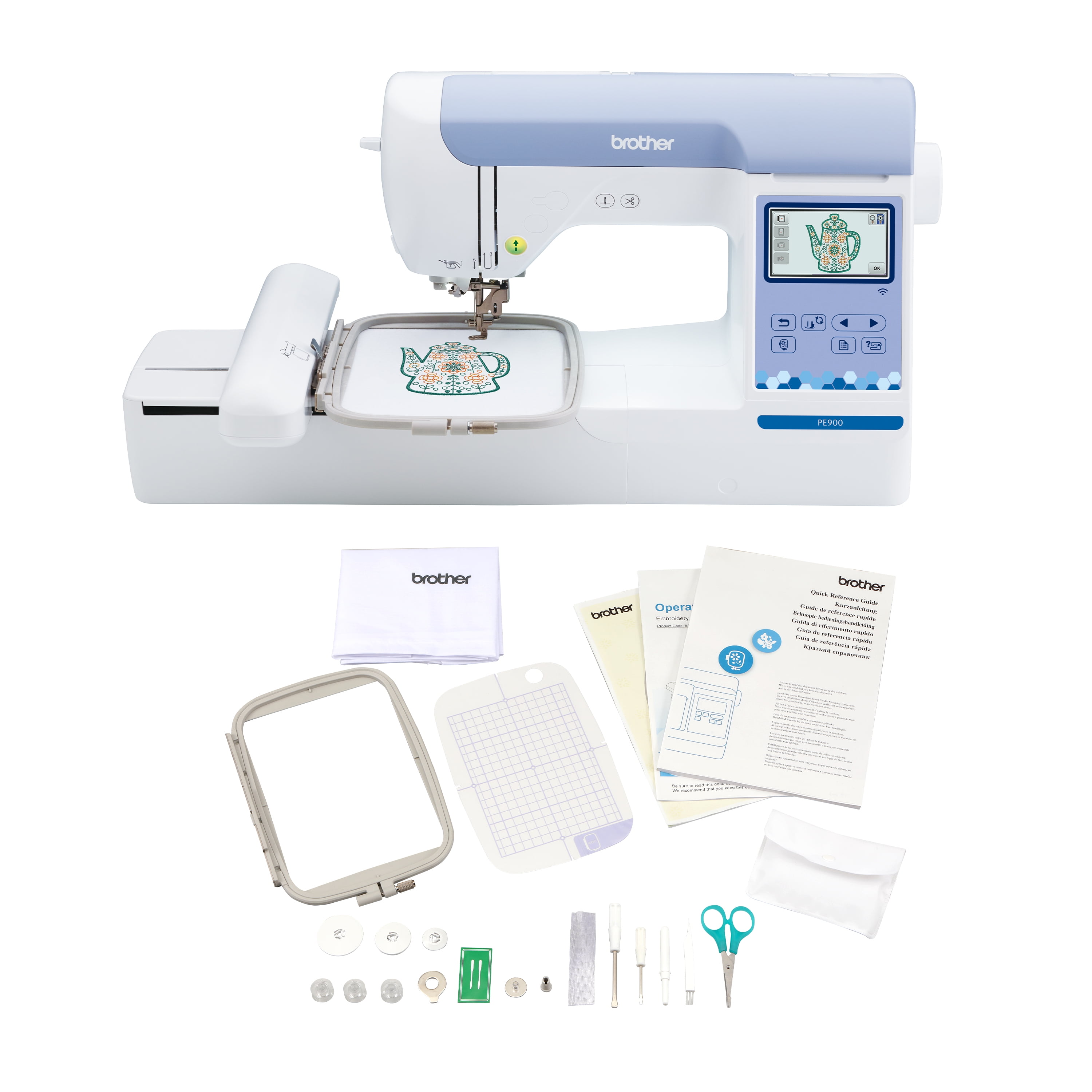
The PE900 is Brother’s current 5×7 embroidery-only machine, and the headline upgrade over the PE800 is connectivity. Wireless LAN lets you send designs from your computer to the machine with Brother’s free Design Database Transfer software, no USB stick shuffle. The Artspira mobile app adds downloadable patterns and the genuinely fun ability to draw a design on your phone and beam it to the machine. For anyone who buys designs online, which is nearly everyone, wireless transfer is a quality-of-life upgrade you will use every session.
The spec bumps are real too: 193 built-in designs versus 138, 13 fonts versus 11, and a larger 3.7-inch touchscreen that makes on-screen editing (resizing, rotating, repositioning, combining designs) noticeably less squinty. Jump stitch trimming and Advanced Color Sort reduce thread changes and cleanup on multi-color designs. Embroidery speed tops out at 650 spm.
One underappreciated PE900 advantage is the on-screen editing workflow. The bigger display plus the ability to drag, resize, and combine designs directly on the machine means many owners rarely touch a computer except to import new designs. For monogramming and combining built-in designs into custom layouts, the touchscreen editing is genuinely pleasant rather than merely tolerable, which matters because fiddly editing is where cheap embroidery machines lose people.
Owners report the PE900 is easy to thread, the on-screen tutorials genuinely help beginners, and stitch quality is classic Brother: clean, consistent, and forgiving. The embroidery-only design means no sewing-machine compromises; this machine does one thing. Complaints are minor: the usual wish for a larger hoop (step up to a multi-needle machine for that) and the Artspira app’s best features wanting a subscription for full access.
Good
✓ Wireless LAN design transfer, no more USB stick shuffle
✓ Artspira app with downloadable patterns and draw-to-stitch
✓ 193 designs, 13 fonts, larger 3.7″ touchscreen
✓ Jump stitch trimming and color sort for efficient multi-color work
Watch out for
✕ Premium over old-stock PE800 deals
✕ Artspira’s full library wants a subscription
✕ Embroidery-only, pairs with (not replaces) a sewing machine
Brother PE800 in Detail
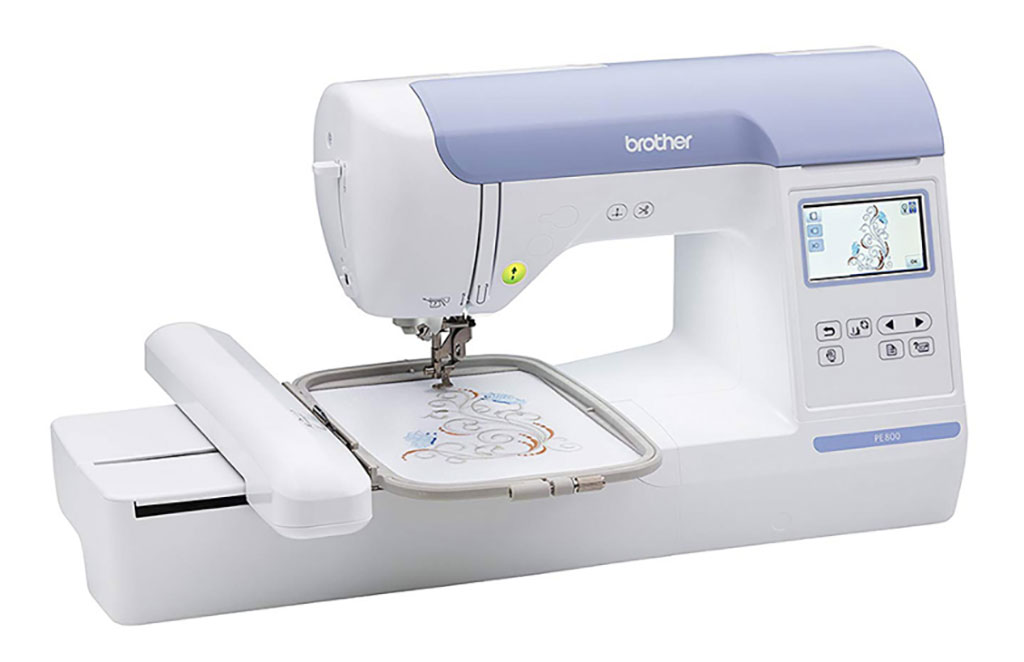
The PE800 was the PE900 before the PE900 existed: same 5×7 embroidery field, same embroidery-only concept, same Brother ease of use. It offers 138 built-in designs, 11 fonts, a 3.2-inch color touchscreen with on-screen editing, USB design transfer, and the same 650 spm top speed. Stitch quality is essentially identical to the PE900; Brother did not reinvent the embroidery mechanism, they upgraded the wrapper.
The honest reason to consider it in 2026 is price. As a discontinued model, the PE800 shows up as new-old-stock, renewed units, and used machines, sometimes several hundred dollars below the PE900. If you find one at a real discount from a reputable seller, you are getting the same hoop size and the same stitch quality for less money.
The reasons to hesitate: USB-only transfer feels dated once you have used wireless, the smaller screen is fine but noticeably less pleasant for editing, and you get 55 fewer built-in designs. More importantly, you are buying into a discontinued platform: firmware updates and app ecosystem support follow the current model. A renewed PE800 also means someone else’s machine, with whatever wear that implies.
Good
✓ Same 5×7 field and stitch quality as the PE900
✓ 138 designs and 11 fonts still cover most projects
✓ Often available at a real discount as old stock or renewed
✓ Proven, mature platform with years of owner knowledge online
Watch out for
✕ USB-only, no wireless or Artspira
✕ Smaller 3.2″ screen
✕ Discontinued: buy from reputable sellers only, check what’s included
Head-to-Head
Stitch quality. Effectively a tie. Both machines embroider at up to 650 spm with Brother’s mature single-needle mechanism, and owners report clean, consistent results from both. Nothing about the PE900’s newer electronics changes what the needle does to fabric. If stitch quality is your only criterion, buy whichever is cheaper.
Features. The PE900 wins clearly: wireless LAN, Artspira app integration, 55 more built-in designs, 2 more fonts, jump stitch trimming refinements, and a larger touchscreen. None of these change stitch quality, but together they change the daily experience of using the machine. The PE800’s feature set was excellent in its day; the day has moved on.
Ease of use. Both are classic Brother: numbered threading diagrams on the machine, automatic needle threader, on-screen tutorials, and an enormous community for troubleshooting. The PE900’s larger screen gives it a small edge for on-machine editing. Call it a wash with a slight PE900 lean.
Price and value. This is the entire decision. At typical street prices, the PE900 costs more but delivers a current platform with wireless. The PE800 only wins if the discount is large enough to matter, roughly $200 or more below the PE900 from a seller you trust. A $50 savings is not worth giving up wireless and a current model; a $300 savings absolutely is.
Verdict: Who Should Buy Which
Buy the Brother PE900 if you are buying new in 2026. It is the current model, wireless design transfer is genuinely useful, the bigger screen and extra designs are nice, and you get the platform Brother will keep supporting. For most buyers, this is the answer.
Buy the Brother PE800 if you find a genuinely cheap one: new-old-stock, a reputable renewed unit, or a used machine from someone you trust, at $200-plus below the PE900. At that discount, USB transfer and a smaller screen are acceptable compromises for identical stitch quality.
The one-line version: the PE900 is the smarter buy at normal prices; the PE800 is only smart at a real discount.
How We Picked
We compared the two machines head-on rather than against the whole embroidery market, since buyers cross-shop exactly these two. Stitch quality was scored from owner reviews, with both machines earning high marks. Features were scored on what changed between generations: connectivity, design count, screen size, and app ecosystem. Value was scored dynamically: the PE900’s score assumes typical new pricing, while the PE800’s score depends entirely on finding it at a meaningful discount, which we state explicitly. We verified both Amazon listings directly and noted the PE800’s discontinued status and the prevalence of renewed and third-party listings.
FAQs
Is the PE800 discontinued?
Brother has moved on to the PE900 as the current 5×7 model. The PE800 remains widely available as new-old-stock, renewed, and used machines, which is why the price varies so much.
Can the PE800 do everything the PE900 can?
For actual embroidery, essentially yes: same hoop, same speed, same stitch quality. What it cannot do is wireless transfer or Artspira integration, and it has fewer built-in designs and a smaller screen.
Is wireless transfer really that useful?
Owners say yes, consistently. Moving designs via USB stick works but gets old fast when you are iterating on a project. Wireless transfer from your computer takes seconds and encourages experimenting with more designs.
Do I need a computer to use these machines?
No. Both have over 100 built-in designs and fonts, editable on the touchscreen. A computer only matters for downloading third-party designs, which is where most embroiderers end up within months.
Embroidery-only or a sewing/embroidery combo?
Embroidery-only machines like these give you a bigger embroidery field per dollar and a dedicated setup. Combos make sense if you lack space for two machines or want one machine that does everything adequately. Serious embroiderers usually end up with a dedicated machine.
What else do I need to budget for?
Stabilizer (cut-away, tear-away, and water-soluble), embroidery thread, extra bobbins, and spare needles. Budget roughly $75 to $150 for a starter kit beyond the machine, whichever model you choose.
Does the PE900 work with Mac computers?
Brother’s wireless transfer software is Windows-based, which frustrates Mac owners. The workaround most Mac users settle on: save designs to a USB stick from the Mac (the machine reads standard USB drives fine) or run the transfer software in a Windows virtual machine. It is an annoyance, not a blocker.
How long do these machines last?
With regular cleaning and occasional servicing, owner reports suggest a decade or more of hobby use. The most common wear items are the thread cutter blade and the touchscreen responsiveness, both fixable. Keep the bobbin area lint-free and use quality thread, and either machine should outlast your interest in upgrading.