
As an Amazon Associate I earn from qualifying purchases.
This is the single most common dilemma in machine embroidery, and it has no universal answer, which is why it deserves a full comparison. The Brother SE1900 is a combo machine: it sews and embroiders in one body. The Brother PE900 is a dedicated embroidery machine: it only embroiders, but it does it better. They cost roughly the same, they share the same 5×7″ hoop, and buyers agonize between them for weeks.
The decision is not about which machine is better. It is about which machine is better for your situation, and your situation comes down to one question: do you already own a sewing machine you like? Answer that honestly and the choice makes itself. This comparison explains why, with the full details for the careful shoppers.
TL;DR: Buy the Brother SE1900 (~$600–$800) if you want one machine for both crafts, you are starting from scratch, or space and budget allow only one machine. Buy the Brother PE900 (~$700–$900) if you already own a sewing machine, because you get more embroidery for the money: 193 designs vs 138, wireless transfer, automatic jump-stitch trimming, and a bigger touchscreen. The PE900 is the better embroidery machine. The SE1900 is the better value if you need both crafts.
At a Glance, Our Scores
| Pick | Best for | Our score | Typical price | |
|---|---|---|---|---|
| Brother SE1900 | One machine, both crafts | 9.0/10, the combo done right, sews and embroiders well | ~$600–$800 | Check Price on Amazon |
| Brother PE900 | Best embroidery experience | 9.1/10, more embroidery per dollar if you already sew | ~$700–$900 | Check Price on Amazon |
Prices move constantly on Amazon, every “Check Price on Amazon” link below takes you to the live listing.
Detailed Reviews
1. Brother SE1900
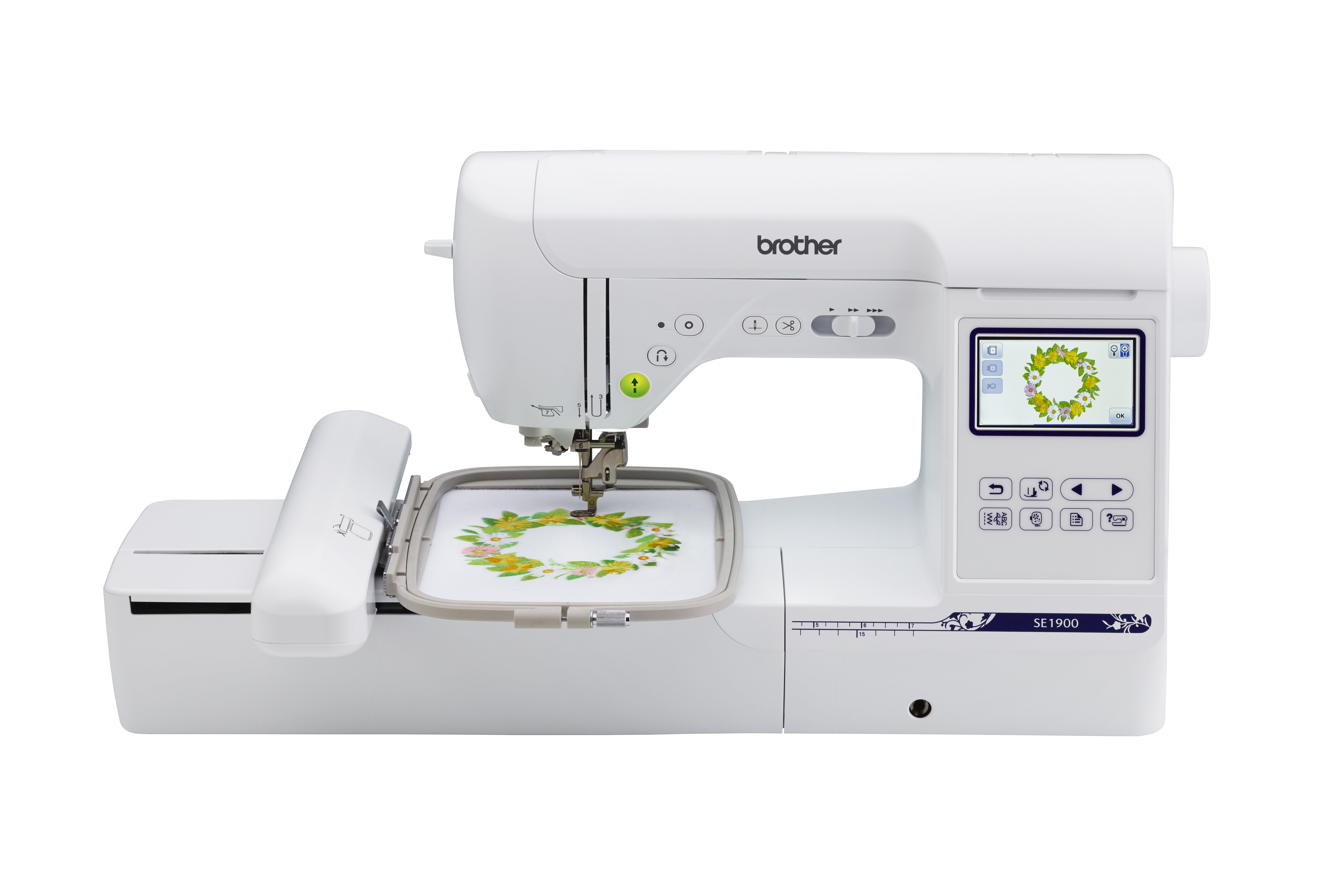
The SE1900 is a full computerized sewing machine with an embroidery unit. As a sewing machine: 240 built-in stitches, automatic needle threader, quick-set drop-in bobbin, 3.2″ LCD touchscreen, 8 included feet, and all the standard computerized conveniences. As an embroidery machine: attach the embroidery arm and you get a 5×7″ field, 138 built-in designs, 11 lettering fonts, and USB design transfer.
The key point reviewers make is that neither half feels compromised. The sewing side is a legitimate mid-range computerized machine, comparable to dedicated sewing machines costing nearly as much on their own. The embroidery side handles everything a 5×7″ hoop can hold with Brother’s usual beginner-friendly on-screen guidance. At ~$600–$800, it is priced like one good machine, not two mediocre ones.
The compromises are real but reasonable: no wireless LAN (USB only), 138 designs instead of the PE900’s 193, a smaller screen, and no automatic jump-stitch trimming. Switching between sewing and embroidery takes a few minutes of arm-swapping and foot-changing. For most owners, these are background details, not dealbreakers.
Good
✓ Genuinely good at both crafts, neither half feels like an afterthought
✓ 240 sewing stitches + 138 embroidery designs, 5×7″ hoop
✓ One machine, one footprint, one price, ideal for limited space
✓ 25-year limited warranty, Brother’s full support
Watch out for
✕ No wireless LAN, USB transfer only
✕ Fewer embroidery designs than the PE900 (138 vs 193)
✕ No automatic jump-stitch trimming
✕ Mode switching takes a few minutes each direction
Bottom line: The best answer to “I want to do both but can only buy one machine.”
2. Brother PE900
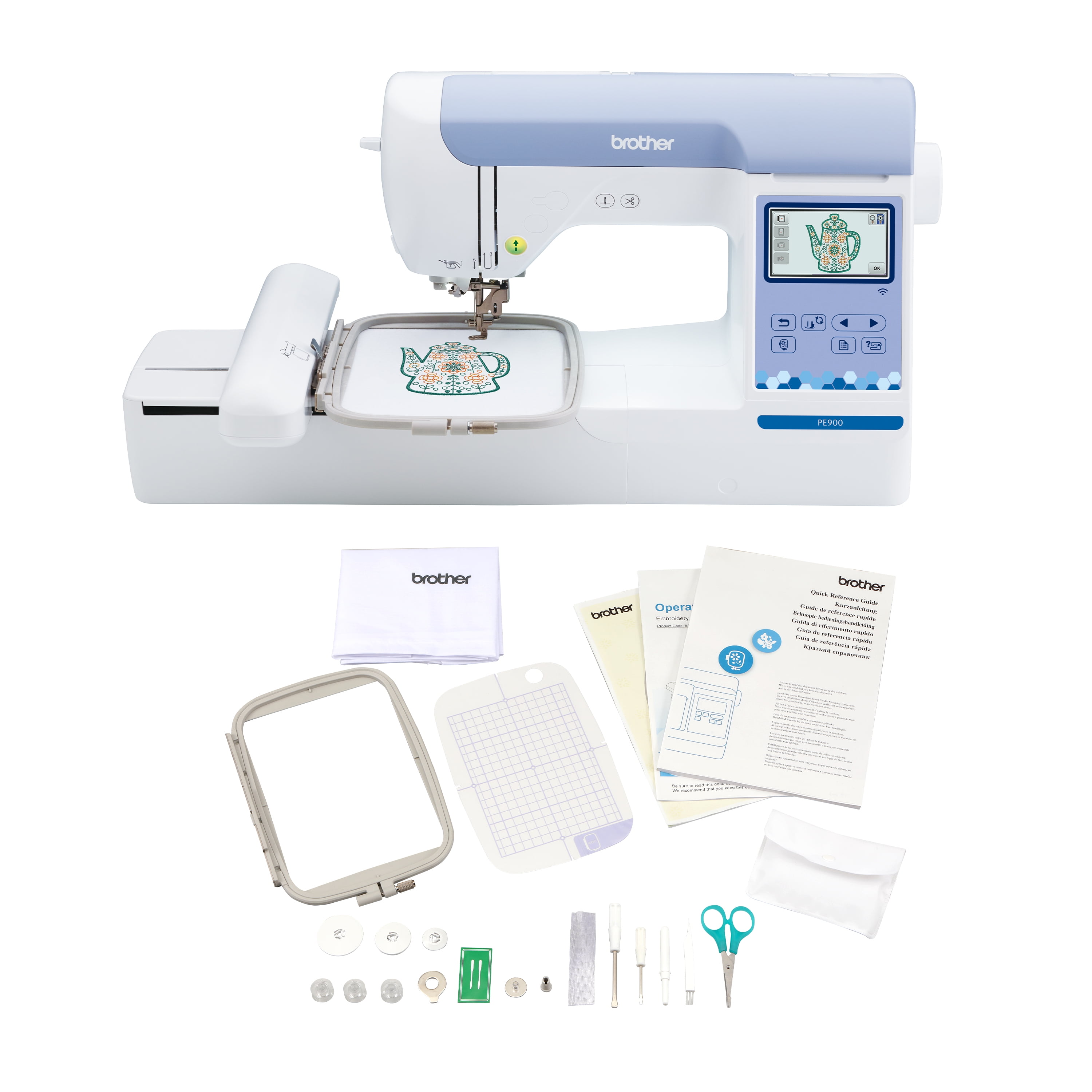
The PE900 takes the same ~$700–$900 and spends all of it on embroidery. The result: 193 built-in designs (55 more than the SE1900), 13 fonts, wireless LAN transfer, a larger 3.7″ color touchscreen, automatic jump-stitch trimming, and Artspira app integration for creating designs on your phone. Same 5×7″ hoop, same 650 SPM, but a meaningfully nicer embroidery experience.
The differences sound incremental on paper and feel significant in use. Wireless transfer removes the daily USB friction. Jump-stitch trimming saves minutes on every multi-color design. The bigger touchscreen makes design editing, positioning, and previewing less squinty. These are quality-of-life features that compound over hundreds of projects.
The absolute limitation: it cannot sew. If your sewing machine breaks mid-project, the PE900 watches helplessly. This is only a problem if you do not own a sewing machine, but it is a complete dealbreaker in that case.
Good
✓ Best embroidery experience under ~$900, 193 designs, wireless, jump-stitch trimming
✓ 3.7″ touchscreen, Artspira app, on-screen tutorials
✓ Same 5×7″ hoop as the SE1900, no embroidery compromise
✓ Every dollar goes to embroidery, no sewing hardware you will not use
Watch out for
✕ Cannot sew, at all, you must own a sewing machine
✕ ~$700–$900 for a single-craft machine is a commitment
✕ Total cost is higher once you add the sewing machine you need
✕ Larger footprint when paired with a separate sewing machine
Bottom line: If you already sew, this is more embroidery machine for the money. Period.
Head-to-Head: The Differences That Matter
Embroidery capability: PE900 wins
More designs (193 vs 138), wireless transfer, automatic jump-stitch trimming, bigger touchscreen, Artspira integration. The PE900 is simply the better embroidery machine, which makes sense, since embroidery is all it does. If embroidery is the priority and you already sew, this category ends the debate.
Sewing capability: SE1900 wins by default
The SE1900 is a complete computerized sewing machine. The PE900 cannot sew. This is not a nuanced comparison, it is a binary one, and it is the entire reason the SE1900 exists. If you need both crafts and can only buy one machine, there is no decision to make.
Hoop size: Tie
Both use a 5×7″ embroidery field. Neither has an advantage here, and 5×7″ is the sweet spot for hobby embroidery, large enough for real projects, small enough to stay affordable.
Ease of use: PE900, slightly
The bigger touchscreen, wireless transfer, and jump-stitch trimming all reduce beginner friction. The SE1900 is not hard to use, Brother’s interface is consistent across both, but the PE900’s quality-of-life features add up. The SE1900 claws back points with its excellent on-screen sewing guidance, which the PE900 obviously lacks.
Value: depends on your closet
This is where the decision lives. If you own a sewing machine: the PE900 gives you more embroidery per dollar, better value. If you do not: the SE1900 gives you two crafts for the price of one good machine, dramatically better value. Price both scenarios honestly before deciding, including the cost of the sewing machine you would need alongside the PE900.
Future-proofing: PE900, slightly
Embroidery-only machines hold their role longer. Sewing machines get replaced as skills grow, but a good embroidery machine stays relevant because the hoop and the design ecosystem do not go stale. PE900 owners report less upgrade itch than combo owners, who eventually want a better sewing machine AND keep the embroidery side.
Side-by-Side Comparison
| Brother SE1900 | Brother PE900 | |
|---|---|---|
| Machine type | Sewing + embroidery combo | Embroidery only |
| Embroidery hoop | 5×7″ | 5×7″ |
| Built-in designs | 138 | 193 |
| Lettering fonts | 11 | 13 |
| Sewing stitches | 240 | None |
| Screen | 3.2″ LCD touchscreen | 3.7″ color touchscreen |
| Wireless LAN | No (USB) | Yes |
| Jump-stitch trimming | No | Yes, automatic |
| Artspira app | No | Yes |
| Included feet | 8 sewing + embroidery foot | Embroidery foot |
| Typical price | ~$600–$800 | ~$700–$900 |
| Check Price on Amazon | Check Price on Amazon |
Prices fluctuate frequently on Amazon; click through for the current price.
A Day in the Life: What Ownership Feels Like
Specs tell you what machines can do. Ownership tells you what they are like to live with. Here is the honest week-with-each-machine picture drawn from owner reports.
With the SE1900: Monday you sew a tote bag, using the straight stitch and the walking foot you bought separately. Wednesday you switch to embroidery mode, attach the arm, hoop a onesie, and stitch a name in one of the built-in fonts. Friday you are back to sewing. Each switch takes a few minutes, and you keep the embroidery arm on a shelf when not in use. Owners describe this rhythm as pleasant, not annoying, as long as switching is not a daily event. The machine lives in one spot and does everything.
With the PE900: your sewing machine sits beside it, threaded and ready. You finish a seam on the sewing machine, slide the project to the PE900, and embroider without any mode change. Designs arrive wirelessly from your laptop. When a multi-color design finishes, the jump stitches are already trimmed. Owners who embroider frequently describe this as a smoother workflow, two machines, zero switching friction, each always ready for its job.
Neither is objectively better. The SE1900 suits the crafter who does a bit of everything. The PE900 suits the embroiderer who has committed to the craft and already owns the sewing side.
The Hidden Costs Nobody Mentions
The sticker price is not the total price. Here is what else to budget, whichever machine you choose.
Stabilizer: the unsexy supply that makes or breaks embroidery. Cut-away for knits, tear-away for stable wovens, water-soluble for sheer fabrics and freestanding lace. A starter assortment costs $25–$40, and you will use it constantly. Skimping here causes more failed projects than any machine limitation.
Thread: embroidery thread is not the same as sewing thread. A starter set of polyester embroidery thread in usable colors runs $25–$40, plus white and black bobbins. Buy decent thread, cheap thread breaks, shreds, and makes you blame the machine for a supply problem.
Needles: embroidery needles have a larger eye to protect thread at high speed. A pack costs a few dollars and prevents a whole category of thread breaks. Change them regularly.
Designs: the built-in libraries get you started, and the free design ecosystem is enormous. Paid designs from reputable digitizers run $3–$10 each, and quality varies enormously. A badly digitized $2 design will stitch worse than a well-digitized free one. Learn which digitizers are respected before buying.
Software (optional): you do not need digitizing software to use either machine. If you eventually want to create designs from your own artwork, real digitizing software starts around $500 and is a hobby in itself. Do not buy it in year one.
Which Should You Buy?
Buy the Brother SE1900 if: you are starting from scratch and need both crafts, you have room and budget for exactly one machine, or you sew occasionally and embroider occasionally. It is the rational single purchase, and a genuinely good sewing machine in its own right.
Buy the Brother PE900 if: you already own a sewing machine you are happy with. You will get a better embroidery experience, more designs, wireless convenience, and a machine that stays relevant longer. Do not pay for a second sewing machine you do not need.
The trap to avoid: buying the PE900 because it is “the better machine” and then realizing you also need to buy a sewing machine, blowing past the SE1900’s price for a worse total setup. Total cost of ownership is the real comparison, not sticker price.
How We Compared
We did not unbox these machines side by side in a lab, and we won’t pretend we did. Instead, we cross-referenced manufacturer specifications against live retailer listings, read thousands of verified owner reviews for both machines, and focused on the decision owners actually describe: the combo-vs-dedicated trade-off. We compared embroidery features head to head, evaluated the SE1900’s sewing side against standalone computerized machines at similar prices, and weighted long-term owner satisfaction, including how often combo owners eventually add a dedicated machine of either type. Prices shown are typical US street bands; Amazon moves them constantly, so confirm at checkout.
Keep Reading
FAQs
Can the PE900 sew at all?
No. It is embroidery-only, with no feed dogs for regular sewing, no straight stitch, and no standard presser feet. It is a purpose-built embroidery machine. If you need to sew, you need a separate sewing machine or a combo like the SE1900.
Is the SE1900’s sewing as good as a standalone sewing machine?
Yes, for its price class. Its 240 stitches, automatic threader, and drop-in bobbin match standalone computerized machines in the $400–$600 range. You are not getting a compromised sewing machine, you are getting a real one with embroidery attached.
How long does it take to switch the SE1900 between sewing and embroidery?
A few minutes: attach or remove the embroidery arm, swap the foot, and select the mode on screen. Owners who switch daily find it mildly annoying; owners who switch weekly barely notice. If you do both every single day, two dedicated machines are worth considering.
Which one is better for a complete beginner to embroidery?
The PE900 has the edge in embroidery-specific ease: bigger screen, wireless transfer, jump-stitch trimming, more tutorials for its interface. But the SE1900 is no harder to learn embroidery on, and it teaches you sewing too. For a true beginner to both crafts, the SE1900 is the better teacher.
Can I embroider large designs on either machine?
Both have a 5×7″ hoop, which handles most hobby designs. Larger designs require rehooping, splitting the design across multiple hoopings, which both machines support but which takes practice. If you know you want bigger, the Janome Memory Craft 400E’s 7.9×7.9″ hoop is the step up.
Do I need digitizing software with either machine?
No. Both machines stitch built-in designs and downloaded designs without additional software. Digitizing software is for creating your own designs from artwork, a separate purchase and a separate learning curve. Start with the enormous world of ready-made designs first.
Verdict
Own a sewing machine? Buy the Brother PE900. It is the better embroidery machine, with more designs, wireless transfer, and quality-of-life features that earn their keep over hundreds of projects.
Starting from zero and need both crafts? Buy the Brother SE1900. One machine, one footprint, genuinely good at both jobs, and the most sensible single purchase in home embroidery.
Answer the sewing-machine question honestly and you cannot go wrong. The only mistake is buying the dedicated machine and then discovering you needed the combo, or vice versa. Whichever you choose, give yourself a month of small projects before judging it, embroidery has a learning curve, and the machine is rarely the limiting factor in the first thirty days.
Pingback: Juki TL-2010Q vs Brother PQ1500SL (2026): Which Quilting Workhorse Wins?